disk
list disks and volumes
$ diskutil list

# or
$ diskutil list disk1

# or via `lsblk`: https://command-not-found.com/lsblk
$ docker run cmd.cat/lsblk lsblk
NAME   MAJ:MIN RM SIZE RO TYPE MOUNTPOINT
vda    254:0    0  16G  0 disk
└─vda1 254:1    0  16G  0 part /etc/hosts

# or via `lshw`: https://command-not-found.com/lshw
$ docker run cmd.cat/lshw lshw -class disk
  *-virtio1
       description: Virtual I/O device
       physical id: 0
       bus info: virtio@1
       logical name: vda
       configuration: driver=virtio_blk

# or
$ system_profiler SPStorageDataType
check volume info
$ diskutil info <path/to/volumn>
# i.e.:
$ diskutil info /Volumes/iMarsloOSX/
   Device Identifier:         disk1s5
   Device Node:               /dev/disk1s5
   Whole:                     No
   Part of Whole:             disk1

   Volume Name:               iMarsloOSX
   Mounted:                   Yes
   Mount Point:               /
list the apfs info
$ diskutil apfs list
APFS Container (1 found)
|
+-- Container disk1 ********-****-****-****-************
    ====================================================
    APFS Container Reference:     disk1
    Size (Capacity Ceiling):      250685575168 B (250.7 GB)
    Capacity In Use By Volumes:   176258826240 B (176.3 GB) (70.3% used)
    Capacity Not Allocated:       74426748928 B (74.4 GB) (29.7% free)
    |
    +-< Physical Store...>
    |
    +-> ...

$ diskutil apfs list
APFS Containers (3 found)
|
+-- Container disk3 8FD21D62-C7F0-4554-B7C7-AE85BE52D8AA
    ====================================================
    APFS Container Reference:     disk3
    Size (Capacity Ceiling):      494384795648 B (494.4 GB)
    Capacity In Use By Volumes:   289735741440 B (289.7 GB) (58.6% used)
    Capacity Not Allocated:       204649054208 B (204.6 GB) (41.4% free)
    |
    +-< Physical Store disk0s2 1*******-****-****-****-***********8
    |   -----------------------------------------------------------
    |   APFS Physical Store Disk:   disk0s2
    |   Size:                       494384795648 B (494.4 GB)
    |
    +-> Volume disk3s1 2*******-****-****-****-***********E
        ---------------------------------------------------
        APFS Volume Disk (Role):   disk3s1 (Data)
        Name:                      Macintosh HD - Data (Case-insensitive)
        Mount Point:               /System/Volumes/Data
        Capacity Consumed:         256742236160 B (256.7 GB)
        Sealed:                    No
        FileVault:                 Yes (Unlocked)
create volume for case-sensitive APFS
[!NOTE]
- volume name:
CaseSensitive- volume size:
4000m(4GB)- disk identifier:
disk3- case-sensitive:
CASE SENSITIVE CASE INSENSITIVE APFSX APFS
# for case-sensitive APFS
$ diskutil apfs addVolume disk3 APFSX CaseSensitive -quota 4000m

# remove
$ diskutil unmount /Volumes/CaseSensitive
$ diskutil apfs deleteVolume disk3s7
create synthetic symlink
[!TIP|label:references:] to create
/mntor/datain macOS like Linux
# create a real directory
$ sudo mkdir -p /System/Volumes/Data/mnt
# to prevent permission denied when create folder/file
$ sudo chown "$(id -un)":staff /System/Volumes/Data/mnt

# edit/create synthetic.conf : `⇥` means tab : using `:set noexpandtab` in nvim/vim to prevent tab to spaces
$ sudo vim /etc/synthetic.conf
mnt⇥System/Volumes/Data/mnt
$ sudo chown root:wheel /etc/synthetic.conf
$ sudo chmod 644 /etc/synthetic.conf
# -- verify --
$ command cat -A /etc/synthetic.conf
mnt^ISystem/Volumes/Data/mnt$
$ ls -l /etc/synthetic.conf
-rw-r--r-- 1 root wheel 28 Sep 30 21:50 /etc/synthetic.conf

# reboot
$ sudo reboot
# or reload synthetic.conf without reboot
$ sudo /System/Library/Filesystems/apfs.fs/Contents/Resources/apfs.util -t
# verify
$ ls -Altrh / | command grep --color=never mnt
lrwxr-xr-x  1 root   wheel   23 Sep 30 21:55 mnt -> System/Volumes/Data/mnt

# mount with smbfs
$ mkdir -p /mnt/path
$ mount -t smbfs -o -d=755,-f=755 //SMB_SERVER:/path /mnt/path
# or without `:`
$ mount -t smbfs -o -d=755,-f=755 //SMB_SERVER/path /mnt/path
# or with USERNAME and PASSWORD
$ mount -t smbfs -o -d=755,-f=755 //USERNAME:PASSWORD@SMB_SERVER/path /mnt/path

# mount with apfs
$ sudo mount -t apfs /dev/diskNs1 /mnt/disk1
erase disk
| File System | Abbreviation |
|---|---|
| Mac OS Extended (Journaled) | JHFS+ |
| Mac OS Extended | HFS+ |
| MS-DOS fat32 | FAT32 |
| ExFAT | ExFAT |
to list file systems
$ diskutil listFilesystems ... ------------------------------------------------------------------------------- PERSONALITY USER VISIBLE NAME ------------------------------------------------------------------------------- Case-sensitive APFS APFS (Case-sensitive) (or) APFSX APFS APFS (or) APFSI ExFAT ExFAT Free Space Free Space (or) FREE MS-DOS MS-DOS (FAT) MS-DOS FAT12 MS-DOS (FAT12) MS-DOS FAT16 MS-DOS (FAT16) MS-DOS FAT32 MS-DOS (FAT32) (or) FAT32 HFS+ Mac OS Extended Case-sensitive HFS+ Mac OS Extended (Case-sensitive) (or) HFSX Case-sensitive Journaled HFS+ Mac OS Extended (Case-sensitive, Journaled) (or) JHFSX Journaled HFS+ Mac OS Extended (Journaled) (or) JHFS+ UFSD_NTFS Microsoft NTFS$ diskutil eraseDisk ExFAT iMarsloUSB /dev/disk2 Started erase on disk2 Unmounting disk Creating the partition map Waiting for partitions to activate Formatting disk2s2 as ExFAT with name iMarsloUSB Volume name : iMarsloUSB Partition offset : 411648 sectors (210763776 bytes) Volume size : 246534144 sectors (126225481728 bytes) Bytes per sector : 512 Bytes per cluster: 131072 FAT offset : 2048 sectors (1048576 bytes) # FAT sectors : 8192 Number of FATs : 1 Cluster offset : 10240 sectors (5242880 bytes) # Clusters : 962984 Volume Serial # : 5ff81490 Bitmap start : 2 Bitmap file size : 120373 Upcase start : 3 Upcase file size : 5836 Root start : 4 Mounting disk Finished erase on disk2$ diskutil info disk2s1 Device Identifier: disk2s1 Device Node: /dev/disk2s1 Whole: No Part of Whole: disk2 Volume Name: EFI Mounted: No Partition Type: EFI File System Personality: MS-DOS FAT32 Type (Bundle): msdos Name (User Visible): MS-DOS (FAT32) ... ... $ diskutil info disk2s2 Device Identifier: disk2s2 Device Node: /dev/disk2s2 Whole: No Part of Whole: disk2 Volume Name: iMarsloUSB Mounted: Yes Mount Point: /Volumes/iMarsloUSB Partition Type: Microsoft Basic Data File System Personality: ExFAT Type (Bundle): exfat Name (User Visible): ExFAT ... ...
# verifying and repairing volumes
$ diskutil verifyVolume /Volumes/<volume name>
$ diskutil repairVolume /Volumes/<volume name>
check detail diskage usage
$ sudo fs_usage
21:03:47  ioctl        0.000003   iTerm2
21:03:47  ioctl        0.000003   iTerm2
21:03:47  close        0.000031   privoxy
21:03:47  select       0.000004   privoxy
...
mount
[!NOTE|label:references:]
- secure way to mount a password protected cifs share in mac
$ sudo security add-internet-password -a "USERNAME" -D "NETWORK_PASSWORD" -r "smb " -l "cifs_share" -s "SMB_SERVER" -p "cifs_share" -w "PASSWORD" -T "/System/Library/CoreServices/NetAuthAgent.app/Contents/MacOS/NetAuthAgent" $ sudo security add-internet-password -a "USERNAME" -D "NETWORK_PASSWORD" -r "afp " -l "cifs_share" -s "CIFS_SERVER" -p "cifs_share" -w "PASSWORD" -T "/System/Library/CoreServices/NetAuthAgent.app/Contents/MacOS/NetAuthAgent"- check password
$ security find-internet-password -s 'SMB_SERVER' -r 'smb ' -g~/Library/Preferences/nsmb.conf$ cat ~/Library/Preferences/nsmb.conf [host.server.com] username=USERNAME password=PASSWORD
smb
via GUI
Go -> Connect to Server ... ->
smb://<domain.com>/path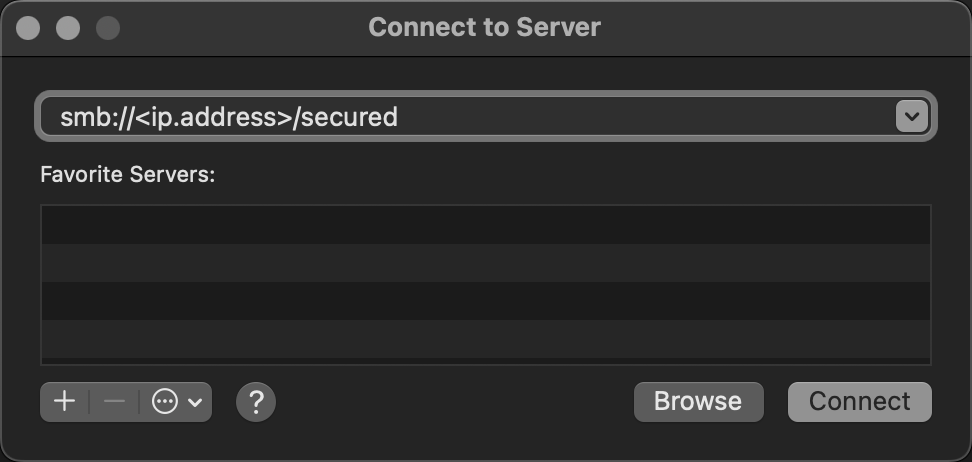
1.8.4.1 -- samba
via cmd
[!NOTE|label:references:]
$ mkdir -p /Volumes/mount
$ sudo mkdir -p $(whoami):staff /Volumes/mount

# mount
$ mount -t smbfs //USERNAME:<PASSWORD>@<domain.com>/share /Volumes/mount
$ mount -t smbfs -o -d=755,-f=755 //<domain.com>/<path> /Volumes/mount
# or
$ mount -o nodev,nosuid -t smbfs //USERNAME:${PASSWORD}@<domain.com>/share /Volumes/mount

# mount_smbfs
$ mount_smbfs //USERNAME@<domain.com>/share /Volumes/mount
Password for <domain.com>: <password>

# umount
$ umount /Volumes/mount
# force umount
$ diskutil unmountDisk force "${mount_point}"
open
$ open "smb://USERNAME:<password>@<domain.com>/path"
osascript
$ /usr/bin/osascript -e "try" -e "mount volume \"smb://guest@${host}\"" -e "end try"

# or with function
function mymount {
    osascript <<EOF
mount volume "smb://user@fqdn1/volume1"
mount volume "smb://user@fqdn2/volume2"
EOF
}
cifs
[!NOTE|label:references:]
# create credential file
$ echo "username=USERNAME" > ~/.cifs
$ echo "password=PASSWORD" >> ~/.cifs
$ chmod 600 ~/.cifscredentials
# mount
$ test -d /mnt/mynfs || mkdir -p /mnt/mynfs
$ sudo mount -t cifs //domain.com/path/to/target /mnt/mynfs -o credentials=~/.cifs
check
$ mount
...
//USERNAME@<domain.com>/secured on /Volumes/mount (smbfs, nodev, nosuid, mounted by USERNAME)

# get hostname
#                        handle for both mount format:  //marslo@domain.com/share
#                                                       //domain.com/share
#                                                                   v
#                                                       +----------------------+
$ mount -t nfs,cifs,smbfs | awk '{print $1}' | sed -rn 's:^//([^@/]*@)?([^/]+).*:\2:p'
domain.com
domain.com
$ mount -t nfs,cifs,smbfs | awk '{print $1}' | sed -rn 's:^//([^@/]*@)?([^/]+).*:\2:p' | paste -sd'|'
create image
[!NOTE|label:references:]
background images


create dmg from app
via
hdiutil[!NOTE|label:references:]
-format:UDRW: read/write imageUDRO: read-only imageUDCO: ADC-compressed imageUDZO: zlib-compressed imageUDBZ: bzip2-compressed imageULFO: lzfse-compressed image, introduced in macOS 10.11ULMO: lzma-compressed image, introduced in macOS 10.15UDTO: DVD/CD-R master for exportUDSP: SPARSE (grows with content)UDSB: SPARSEBUNDLE (grows with content; bundle-backed)UFBI: UDIF entire image with MD5 checksum
$ hdiutil create -srcfolder "/Applications/Python3 IDLE.app" \
                 -volname 'Python3 IDLE' \
                 -fs HFS+ \
                 -fsargs "-c c=64,a=16,e=16" \
                 -format UDRW \
                 "Python3 IDLE.dmg" [ --debug ] [ --verbose ]

# or
$ hdiutil create -volname "Volume Name" \
                 -srcfolder /path/to/folder \
                 -ov diskimage.dmg

# create encrypted image
$ hdiutil create encrypted.dmg
                 -encryption AES-128 \
                 -stdinpass \
                 -volname "Volume Name" \
                 -srcfolder /path/to/folder \
                 -ov                       # overwrite any existing files
# i.e.:
$ hdiutil create mEncrypted.dmg \
                 -encryption \
                 -size 1g \
                 -volname "mEncrypted Disk Image" \
                 -fs JHFS+ \
                 -srcfolder /path/to/folder \
Enter a new password to secure "mEncrypted.dmg":
Re-enter new password:
....
created: /Users/marslo/Desktop/mEncrypted.dmg

# create read/write image with specific size
$ hdiutil create ~/Desktop/mTest.dmg \
          -volname "Marslo Test" \
          -srcfolder ~/Desktop/mTest \
          -size 1g \
          -format UDRW                     # UDRW: read/write image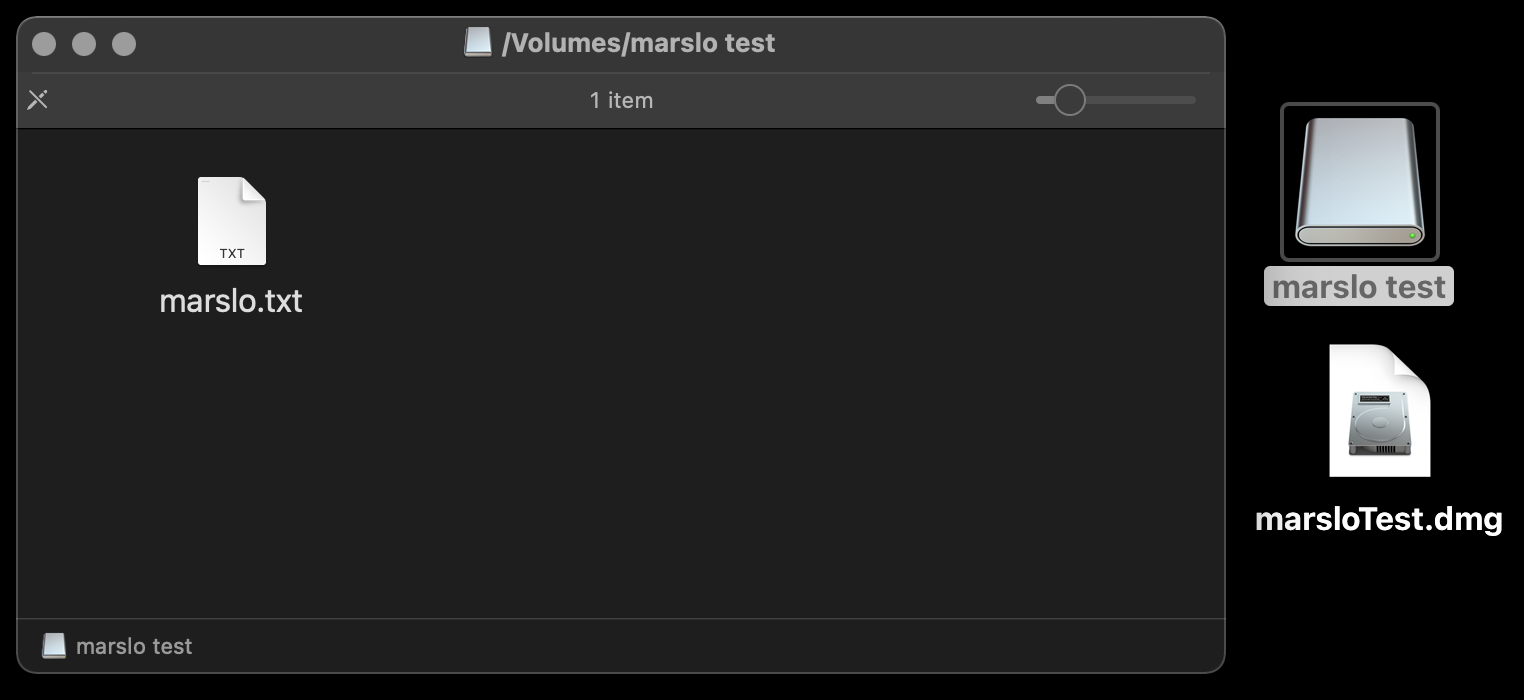
1.8.4.5 -- hdiutil create image 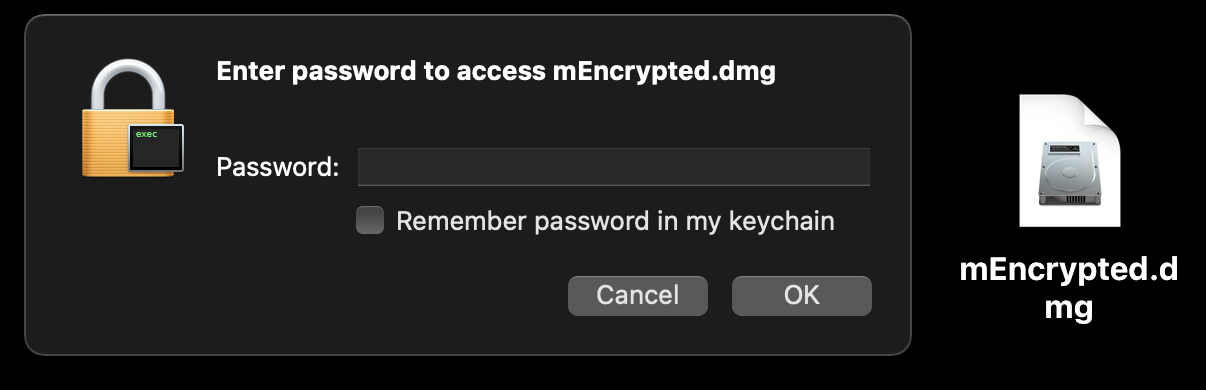
1.8.4.6 -- hdiutil create encrypted image via
create-dmg$ brew install create-dmg $ create-dmg --volname 'Python3 IDLE' \ --volicon /opt/dmg-backgound/.idle.icns \ --background /opt/dmg-backgound/.background.2.png \ --icon 'Python3 IDLE.app' 225 275 \ --app-drop-link 525 270 \ --window-size 750 500 \ --hide-extension 'Python3 IDLE.app' \ 'Python3 IDLE.dmg' '/Applications/Python3 IDLE.app'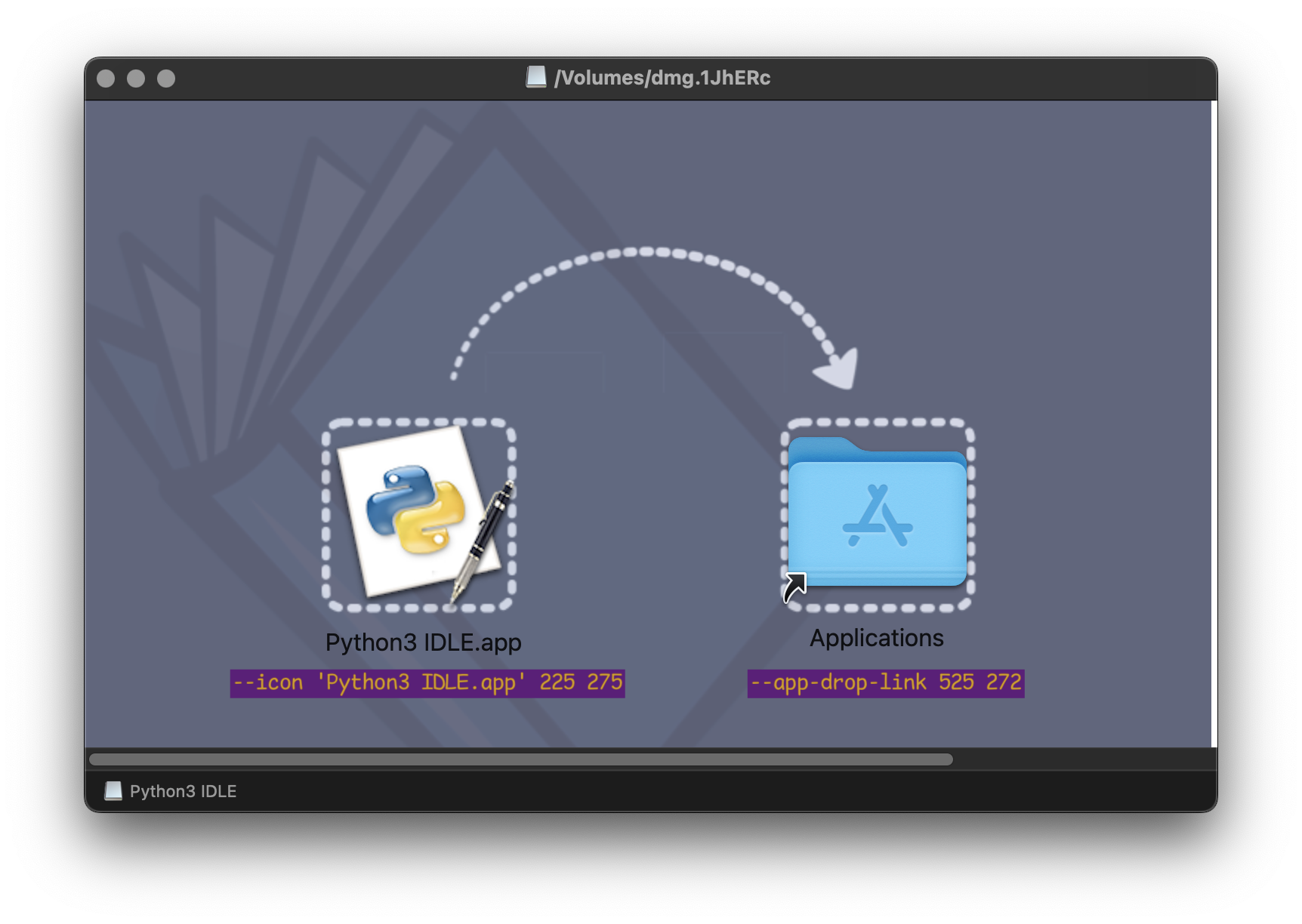
1.8.4.7 -- create-dmg
create dvd (for .iso, .img, .dmg)
$ hdiutil burn /path/to/image_file
create dmg for OS installer
$ sudo hdiutil create ~/Desktop/Lion.dmg -srcdevice /dev/disk2s4
resize the disk image
$ hdiutil resize -size <new size> <imagename>.dmg

# or
$ hdiutil resize -size 2g mEncrypted.dmg
restore disk images
$ sudo asr restore --source <disk image>.dmg --target /Volumes/<volume name>
rename volume
$ diskutil rename "<current name of volume>" "<new name>"
partitioning a disk
reference:
GPT: GUID Partition TableAPM: Apple Partition MapMBR: Master Boot Records
$ diskutil partitionDisk /dev/disk2 GPT JHFS+ New 0b
multiple partitions
$ diskutil partitionDisk /dev/disk2 GPT \
           JHFS+ First 10g \
           JHFS+ Second 10g \
           JHFS+ Third 10g \
           JHFS+ Fourth 10g \
           JHFS+ Fifth 0b
splitting partitions
$ diskutil splitPartition /dev/disk2s6 \
           JHFS+ Test 10GB \
           JHFS+ Test2 0b
merging partitions
$ diskutil mergePartitions \
           JHFS+ \
           NewName \
           <first disk identifier in range> \
           <last disk identifier in range>
# i.e.:
$ diskutil mergePartitions JHFS+ NewName disk2s4 disk2s6
check usb
[!NOTE|label:references:]
$ system_profiler SPUSBDataType

# get xml format
$ system_profiler -xml SPUSBDataType

# or
$ ioreg -p IOUSB

# or
$ ioreg -p IOUSB -w0 -l

# or get device name
$ ioreg -p IOUSB -w0 | sed 's/[^o]*o //; s/@.*$//' | grep -v '^Root.*'