[!NOTE|label:references:]
- fd
- Find Files With the fd Command
- How to Use the fd Command on Linux
- How to Find Files with fd Command in Linux
- Fd – The Best Alternative to ‘Find’ Command for Quick File Searching
- File list of package fd-find in noble of architecture amd64
- Download Page for fd-find_9.0.0-1_amd64.deb on AMD64 machines
install
# osx
$ brew install fd
$ type -P fd >/dev/null && eval "$(fd --gen-completions bash)"
# -- or --
$ fd --gen-completions bash | sudo tee $(brew --prefix)/etc/bash_completion.d/fd
# -- or --
$ ln -sf $(brew --prefix fd)/share/bash-completion/completions/fd $(brew --prefix)/etc/bash_completion.d/fd
# or - v9.0.0
$ ln -sf $(brew --prefix fd)/share/bash-completion/completions/fd "$(brew --prefix)"/etc/bash_completion.d/fd

# debine
$ sudo apt install fd-find                  # ubuntu 22.04 : fd 8.3.1
$ curl -fsSL -O http://ftp.osuosl.org/pub/ubuntu/pool/universe/r/rust-fd-find/fd-find_9.0.0-1_amd64.deb
$ sudo dpkg -i fd-find_9.0.0-1_amd64.deb    # ubuntu any: fd 9.0.0
$ ln -s $(which fdfind) ~/.local/bin/fd
$ export PATH=~/.local:$PATH

# centos
$ sudo dnf install fd-find
from source
[!NOTE|label:references:]
install rust via
$ curl --proto '=https' --tlsv1.2 -sSf https://sh.rustup.rs | sh
$ source "$HOME/.cargo/env"
$ cargo --version
cargo 1.74.1 (ecb9851af 2023-10-18)
SHELL COMMAND bash fd --gen-completions bashfish fd --gen-completions fishzsh fd --gen-completions zshelvsih fd --gen-completions elvishpowershell fd --gen-completions powershell
$ git clone https://github.com/sharkdp/fd && cd fd

# osx
$ brew install rust
$ cargo install amethyst_tools
# wsl/ubuntu
$ sudo apt install cargo

$ cargo build                     # build
$ cargo test                      # run unit tests and integration tests
$ cargo install --debug --path .  # install in osx
$ cargo install --path .          # install in ubuntu/wsl
$ ln -sf /home/marslo/.cargo/bin/fd /home/marslo/.local/bin/fd

# completion ( >= 9.0.0 )
# wsl/ubuntu/centos
$ fd --gen-completions bash | sudo tee /usr/share/bash-completion/completions/fd
# or centos
$ fd --gen-completions bash | sudo tee /etc/bash_completion.d/fd
# osx
$ fd --gen-completions bash | sudo tee $(brew --prefix)/etc/bash_completion.d/fd
verify
$ fd --version
fd 9.0.0
usage
$ fd --hidden ^.env$
.env

$ fd --type f --strip-cwd-prefix --hidden --follow --exclude .git --exclude node_modules ifunc
bin/ifunc.sh
advanced usage
crontab for delete '.DS_'
$ "$(type -P fd)" -IH --glob '*\.DS_*' $HOME | xargs -r -i rm '{}' # or $ "$(type -P fd)" -Iu --glob '*\.DS_*' $HOME | xargs -r -i rm '{}' # or $ "$(type -P fd)" --type f --hidden --follow --unrestricted --color=never --exclude .Trash --glob '*\.DS_*' $HOME | xargs -r -i rm '{}'-
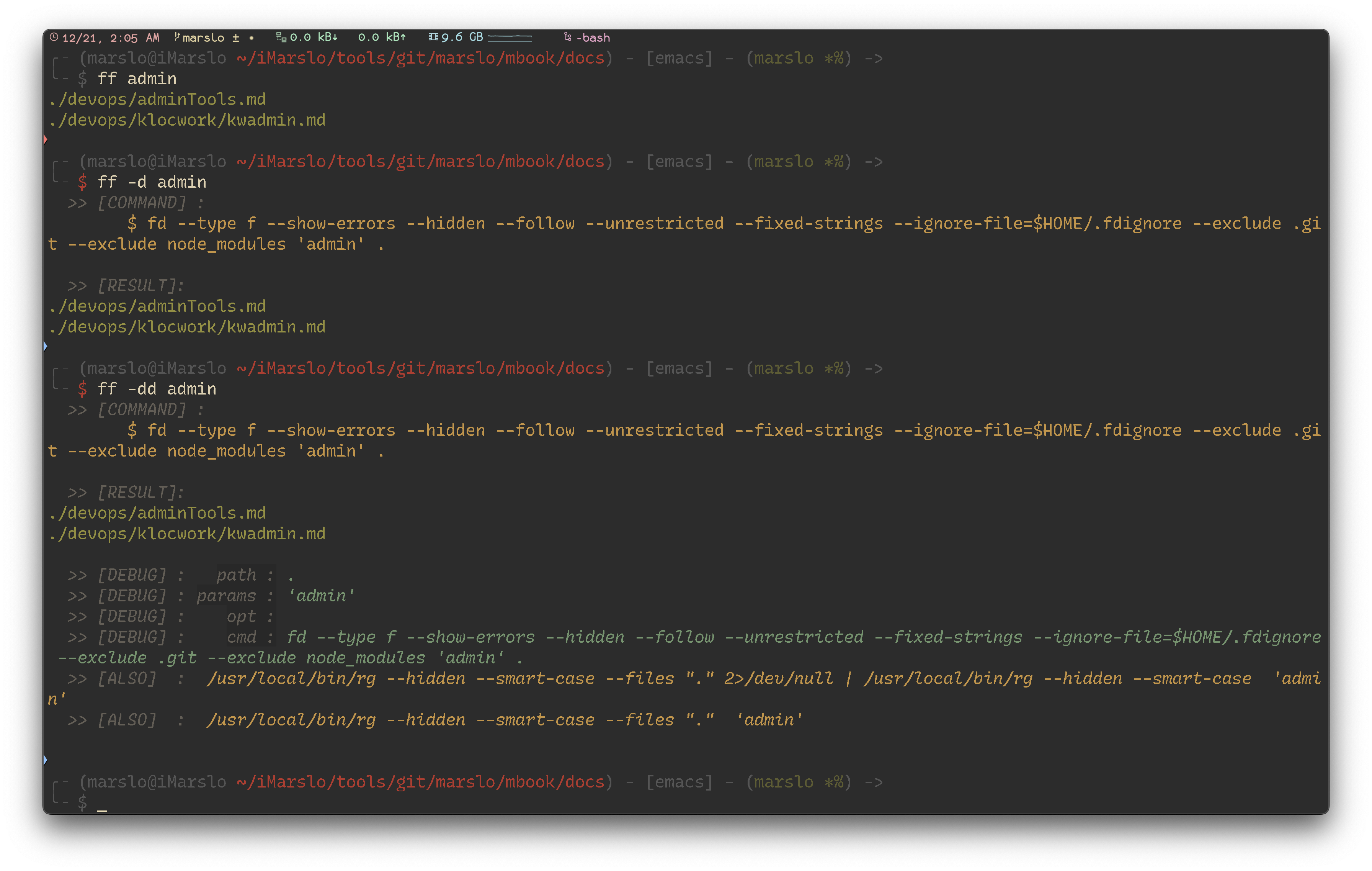
1.4.1.3.1 -- fd-ffs ffs# [f]ind [f]ile and [s]ort function ffs() { local opt='' while [[ $# -gt 0 ]]; do case "$1" in -g ) opt+="$1 " ; shift ;; -fg ) opt+="$1 " ; shift ;; -f ) opt+="$1 " ; shift ;; --* ) opt+="$1 $2 "; shift 2 ;; -* ) opt+="$1 " ; shift ;; * ) break ;; esac done local path=${1:-~/.marslo} local num=${2:-10} num=${num//-/} local depth=${3:-} depth=${depth//-/} local option='--type f' if [[ "${opt}" =~ '-g ' ]]; then # git show --name-only --pretty="format:" -"${num}" | awk 'NF' | sort -u # references: https://stackoverflow.com/a/54677384/2940319 git log --date=iso-local --first-parent --pretty=%cd --name-status --relative | awk 'NF==1{date=$1}NF>1 && !seen[$2]++{print date,$0}' FS=$'\t' | head -"${num}" elif [[ "${opt}" =~ '-fg ' ]]; then # references: https://stackoverflow.com/a/63864280/2940319 git ls-tree -r --name-only HEAD -z | TZ=PDT xargs -0 -I_ git --no-pager log -1 --date=iso-local --format="%ad | _" -- _ | sort -r | head -"${num}" elif [[ "${opt}" =~ '-f ' ]]; then option=${option: 1} [[ -n "${depth}" ]] && option="-maxdepth ${depth} ${option}" # shellcheck disable=SC2086 find "${path}" ${option} \ -not -path '*/\.git/*' \ -not -path '*/node_modules/*' \ -not -path '*/go/pkg/*' \ -not -path '*/git/git*/*' \ -not -path '*/.marslo/utils/*' \ -not -path '*/.marslo/.completion/*' \ -printf "%10T+ | %p\n" | sort -r | head -"${num}" else if [[ "${opt}}" =~ .*-t.* ]] || [[ "${opt}" =~ .*--type.* ]]; then option="${option//--type\ f/}" fi option="${opt} ${option} --hidden --follow --unrestricted --ignore-file ~/.fdignore" [[ -n "${depth}" ]] && option="--max-depth ${depth} ${option}" [[ '.' != "${path}" ]] && option="${path} ${option}" # shellcheck disable=SC2086,SC2027 eval """ fd . "${option}" --exec stat --printf='%y | %n\n' | sort -r | head -"${num}" """ fi }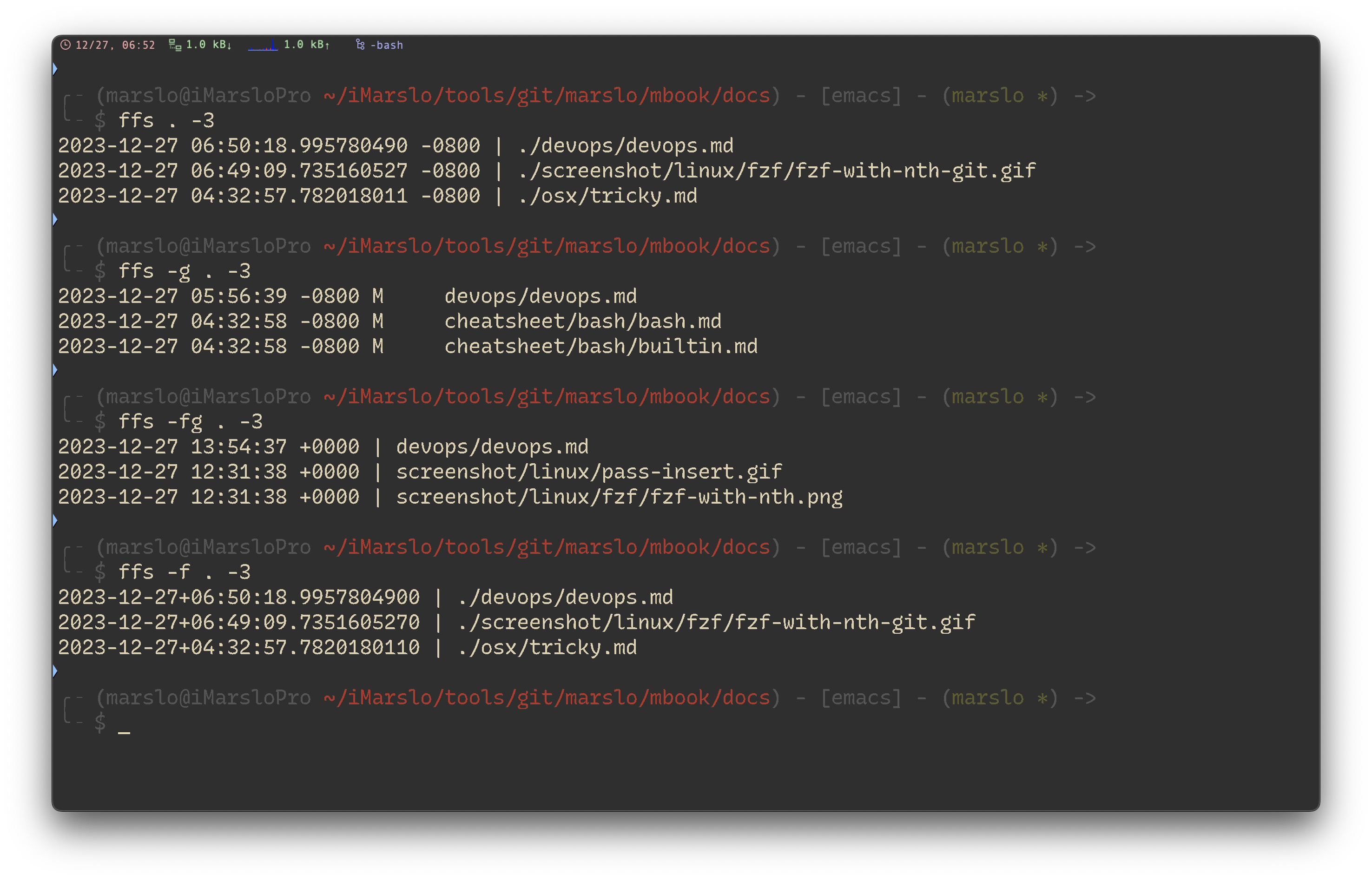
1.4.1.3.2 -- fd-ffs
search for multiple pattern
[!NOTE]
$ fd --unrestricted '^*\.(png|gif|jpg)$'
$ fd --unrestricted --extension png --extension jpg --extension gif